Tot
Your personal desktop companion for chat, research, and local coding jobs. Runs strictly on your machine, supports customizable character avatars, and edits code with safe, approval-based terminal execution.
Tot is actively in development. Character shapes, agent memory, and local coding tools are fully functional, but features and UI are subject to fast updates as we refine toward 1.0.
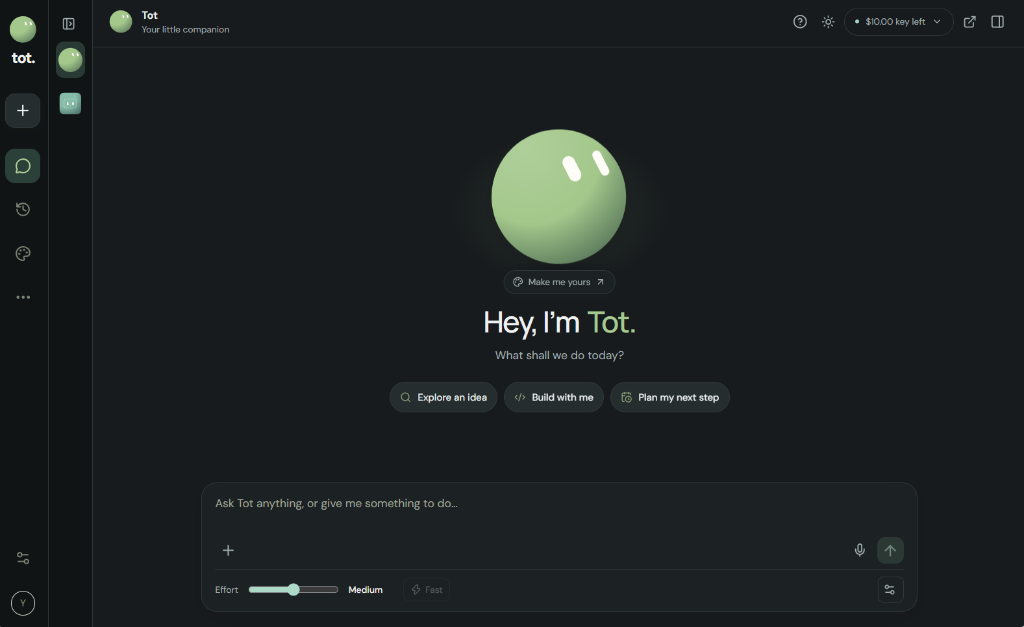
Main Desktop Workspace
Clean distraction-free interface with your companion, quick prompts, effort tuning, and voice dictation.
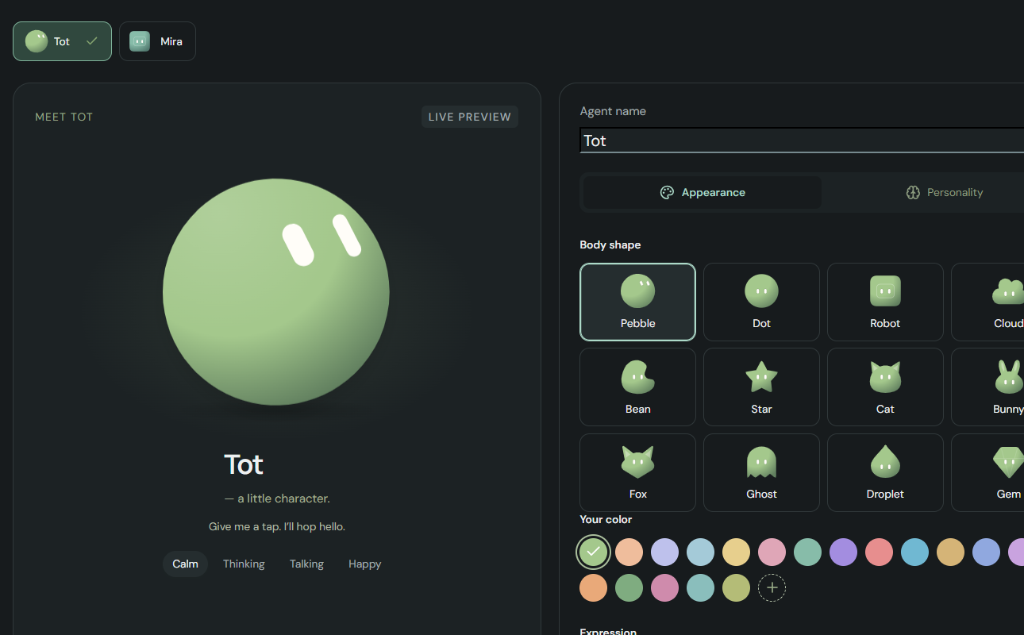
Custom Character Shapes
Choose Pebble, Dot, Robot, Cloud, Bean, Cat, Ghost, and more. Customize color palettes and personalities.
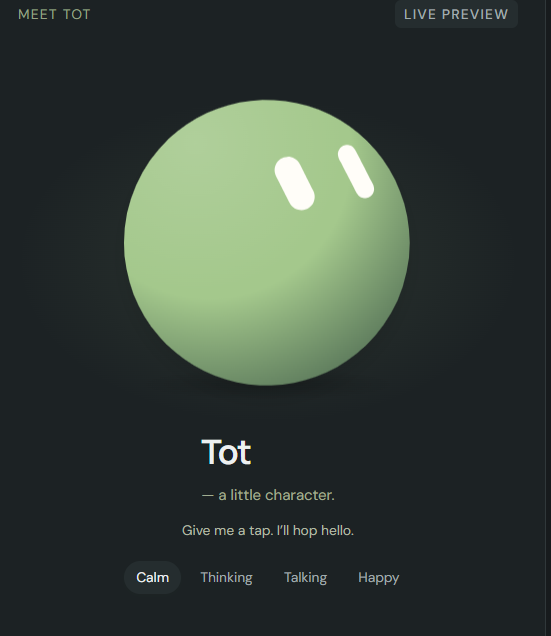
Expressive Companion
Tap to interact. Expresses real-time states including Calm, Thinking, Talking, and Happy animations.
What is Tot?
Most AI chat tools are web wrappers trapped inside a browser tab. They can't inspect your project folders, they don't know when your local build fails, and they upload your data to remote telemetry servers.
Tot is built differently. It is an independent, portable desktop application designed from the ground up to run locally on your Windows PC. It combines a conversational AI assistant with a safe, approval-based local agent harness.
Approval-Based Execution
Tot can draft and propose PowerShell commands to build projects or run tests, but it will never execute commands behind your back. You review every command before giving one-click approval.
Privacy & Zero Telemetry
The internal server binds strictly to 127.0.0.1 and rejects non-local web requests. Your chat history and configs stay in your local Windows profile (%APPDATA%\Tot Public).
Project Memory & Safe Undo
Point Tot at any folder on your drive. It reads files, makes surgical edits, and moves deleted or replaced code into a recoverable .tot-trash folder so you never lose work.
Bring Your Own Key (BYOK)
Connect your own OpenRouter or Gemini API key. Free-only mode is enabled by default so you can use free models without any surprise charges or recurring subscription fees.
How to install & get started
Download and extract the ZIP
Download Tot-Public-0.1.8-Windows.zip from Google Drive and unzip it into a folder you plan to keep (e.g. C:\Apps\Tot).
Launch Tot-Public-0.1.8.exe
Double-click the executable. No administrator rights required! Tot will automatically create a desktop shortcut.
💡 Windows SmartScreen Note: Because this is an unsigned independent release, Windows will show “Windows protected your PC”. Simply click “More info” → “Run anyway”.
Enter your OpenRouter key
Paste your free OpenRouter API key (get one free at openrouter.ai/settings/keys). Your key is encrypted on your PC with Windows DPAPI. Free-only mode starts turned on.